
Online PAN registration Nepal has become increasingly streamlined as the Inland Revenue Department (IRD) digitizes its services. A Permanent Account Number (PAN) is essential for various financial transactions and tax compliance in Nepal. This comprehensive guide will walk you through the entire process of obtaining your PAN card online, including eligibility criteria, required documents, step-by-step registration procedures, fees, and processing timelines. Additionally, we'll address common questions and provide expert tips to ensure a smooth registration experience.
A Permanent Account Number (PAN) is a unique 10-digit alphanumeric identifier issued by Nepal's Inland Revenue Department. Under the Income Tax Act, 2058 (2002), PAN serves as a universal identification key for taxpayers and facilitates tracking of financial transactions.
The importance of PAN in Nepal includes:
According to Section 8 of the Income Tax Act, 2058, every person whose total income exceeds the taxable threshold must obtain a PAN. Additionally, businesses, companies, and entities engaged in economic activities must register for PAN regardless of income level.
The following individuals are eligible for online PAN registration Nepal:
The following entities must obtain PAN:
Special eligibility considerations include:
The following documents are typically required for individual PAN registration:
Foreign nationals need to provide:
Business entities must submit:
When uploading documents for online PAN registration Nepal, ensure:
The online PAN registration Nepal process begins by visiting the official Inland Revenue Department website at https://ird.gov.np or directly accessing the PAN registration portal at https://pan.gov.np .
Choose the appropriate registration category:
Enter the required information accurately:
Upload scanned copies of all necessary documents as specified in the previous section. Ensure all documents meet the technical requirements for successful submission.
Carefully review all entered information before submission. Any errors may lead to rejection or delays in processing. Once verified, submit the application.
Pay the applicable PAN registration fee through available online payment options:
After successful submission and payment, the application enters processing. You will receive an acknowledgment with an application reference number for tracking purposes.
Upon approval, the PAN card will be generated and available for download from the portal. A physical copy can also be requested if needed.
Note: Fees are subject to change as per IRD notifications. Additional charges may apply for physical PAN card delivery.
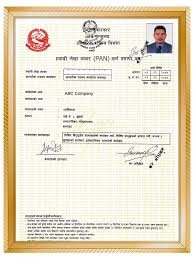
The standard processing time for online PAN registration Nepal applications is:
To track your PAN application status:
For urgent requirements, expedited processing is available at additional cost:
Common reasons for PAN application rejection include:
If your application is rejected:
For technical assistance during online PAN registration Nepal:
Individuals without citizenship certificates can register for PAN using:
Minors can obtain PAN through:
Foreign nationals should provide:
To update information on your PAN:
For replacement of lost or damaged PAN cards:
To deactivate a PAN (in case of duplicate or unnecessary PAN):
Your PAN integrates with several government services:
How do I register for PAN online in Nepal? To register for PAN online in Nepal, visit the official IRD website, select the appropriate registration type, fill in your details, upload required documents, pay the fee, and submit your application. The process typically takes 2-7 working days depending on your registration type.
What documents are needed for PAN registration in Nepal? For Nepalese citizens, you need your citizenship certificate, recent photograph, email address, and mobile number. Foreign nationals need passport, visa, work permit, and address proof. Business entities require registration certificates, PAN of proprietors/partners, and business address proof.
How much does PAN registration cost in Nepal? PAN registration fees vary by entity type: individuals pay NPR 200, proprietorships pay NPR 300, partnerships pay NPR 500, companies pay NPR 1,000, and foreign nationals pay NPR 1,000. Additional fees apply for physical card delivery or expedited processing.
How long does online PAN registration take in Nepal? Standard processing time is 2-3 working days for individuals, 3-5 days for proprietorships and partnerships, and 5-7 days for companies and foreign nationals. Expedited options are available for same-day or next-day processing at additional cost.
Can I register for PAN without citizenship in Nepal? Yes, you can register for PAN without citizenship by providing alternative identification documents such as a national identity card, passport, driver's license, voter's ID, or a letter from a local authority verifying your identity.
Is online PAN registration mandatory in Nepal? While online registration is not mandatory, it is highly recommended as it streamlines the process, reduces processing time, and allows for easier tracking of your application status. The IRD is increasingly promoting digital services for efficiency.
What should I do if my PAN application is rejected? If your PAN application is rejected, carefully review the rejection reason provided, correct the identified issues, resubmit the application with updated information, and contact the IRD helpline if you need assistance with the process.
Can foreign nationals register for PAN in Nepal? Yes, foreign nationals working or doing business in Nepal can and must register for PAN. They need to provide their passport, visa, work permit or business registration documents, address proof, and contact details.
Online PAN registration Nepal has been simplified through digital initiatives by the Inland Revenue Department, making it accessible to all eligible individuals and entities. By following this comprehensive guide, you can successfully navigate the registration process with minimal complications.
Remember that PAN is not just a tax requirement but an essential document for various financial transactions in Nepal. Ensure that all information provided during registration is accurate and supported by valid documents to avoid rejections or delays.
For complex situations or if you encounter difficulties during the registration process, consider seeking professional assistance from tax consultants or legal experts specializing in Nepal's tax system. They can provide personalized guidance based on your specific circumstances.
Ready to register for your PAN? Visit the official IRD portal today to begin your online PAN registration Nepal process and join the formal financial ecosystem of Nepal with confidence.
Disclaimer: This guide provides general information about PAN registration in Nepal. Tax laws and procedures may change, so it's advisable to consult the official IRD website or a tax professional for the most current information and personalized advice.
 October 24, 2025 - BY Admin